
A Practical Guide to Understanding Radar Level Measurement Parameters, Signal Processing, False Echo Suppression, and Reliable Level Monitoring
Radar level transmitters are widely used for continuous level measurement in industrial tanks, storage vessels, silos, and process equipment. Their non-contact measurement principle makes them suitable for many applications involving liquids and bulk solids.
However, installing a radar level transmitter correctly is only the first step. Proper parameter configuration is equally important for achieving reliable measurements.
Incorrect measuring range settings, unsuitable echo-processing parameters, or interference from internal tank structures can result in unstable readings, inaccurate level values, or incorrect 4–20 mA output signals.
This guide explains the main configuration parameters and diagnostic functions available in the radar level transmitter interface described in Zero Instrument’s configuration documentation.
The article covers:
- Basic distance and level measurement principles
- Low-level and high-level calibration
- 4–20 mA output configuration
- Material properties and signal response settings
- Damping and measurement stability
- Echo signal interpretation
- Multiple reflections and false echo suppression
- Practical troubleshooting procedures
Note: Parameter names, operating ranges, and advanced functions may vary between radar transmitter models and firmware versions.
1. Understanding Radar Level Measurement
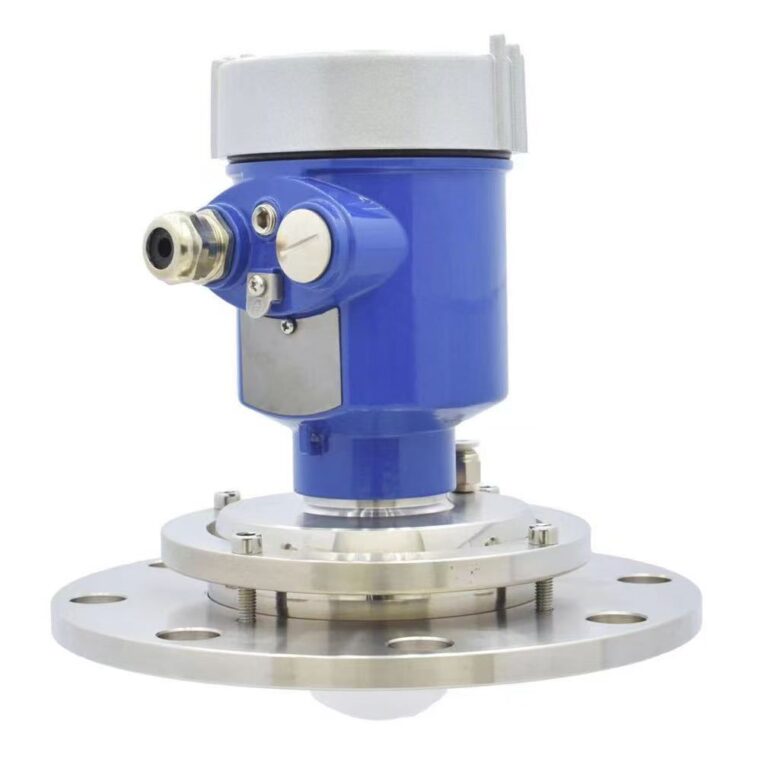
A radar level transmitter measures the distance between its sensor reference point and the surface of the measured material.
The instrument then calculates the material level based on the configured measurement reference points.
Several values are commonly displayed in the transmitter interface.
1.1 Measured Distance
Measured distance is the actual distance between the radar sensor reference point and the material surface.
For example, if the radar detects the liquid surface 1.2 m below the sensor reference point, the measured distance is:
Distance = 1.2 m
This is the fundamental measurement used to calculate the material level.
1.2 Material Level
Material level represents the height of the material above the configured zero-level position.
The calculation is:
Material Level = Low-Level Setting − Measured Distance
For example:
- Low-level setting: 5.0 m
- Measured distance: 2.0 m
- Calculated material level: 3.0 m
The transmitter therefore displays a material level of 3.0 m.
1.3 Empty Space
Empty space, sometimes called ullage, represents the remaining vertical distance between the material surface and the configured upper measurement reference.
The calculation is:
Empty Space = Measured Distance − High-Level Setting
For example:
- Measured distance: 2.0 m
- High-level setting: 0.5 m
- Empty space: 1.5 m
This value is useful when monitoring the remaining available level range within a vessel.
1.4 Level Percentage
The transmitter can calculate the measured level as a percentage of its configured measurement span.
Level (%) = Material Level / Measurement Span × 100%
Where:
Measurement Span = Low-Level Setting − High-Level Setting
A level of 0% corresponds to the configured lower measurement point, while 100% corresponds to the configured upper measurement point.
These percentages refer to the configured level span, not necessarily the percentage of tank volume. In a horizontal cylindrical tank or an irregularly shaped vessel, level percentage and volume percentage are generally different.
2. Setting the Measurement Range
Correct measurement range configuration is one of the most important steps during radar level transmitter commissioning.
The basic configuration uses two reference points:
- Low Level: the position corresponding to 0% level
- High Level: the position corresponding to 100% level
Both settings are expressed as distances from the sensor reference point.
2.1 Low-Level Setting
The low-level parameter defines the zero point of the level measurement.
For a flat-bottom tank, this value is often configured as the vertical distance from the radar reference point to the tank bottom.
For example:
Low Level = 5.0 m
When the measured material surface reaches this reference position, the calculated level becomes zero.
Under normal 4–20 mA output configuration, this corresponds to 4 mA.
For conical-bottom tanks or vessels with irregular bottoms, the zero-level position may be configured above the physical tank bottom, depending on the intended measurement range.
2.2 High-Level Setting
The high-level parameter determines the upper measurement point.
It is the distance from the radar reference point to the position designated as 100% level.
For example:
High Level = 0.3 m
When the detected material surface reaches this position, the transmitter calculates a full-scale level.
Under normal 4–20 mA configuration, this corresponds to 20 mA.
The upper measurement point must be selected with consideration for the transmitter’s minimum measuring distance, the installation arrangement, and the required operating clearance.
2.3 Measurement Span Calculation
The measurement span is calculated from the difference between the low-level and high-level settings.
Measurement Span = Low Level − High Level
Consider a small industrial storage tank with the following settings:
| Parameter | Setting |
|---|---|
| Low Level | 1.800 m |
| High Level | 0.100 m |
| Measurement Span | 1.700 m |
| Output at 0% | 4 mA |
| Output at 100% | 20 mA |
The transmitter will calculate the material level over a 1.700 m measurement span.
This configuration is illustrated in the transmitter setup example supplied in the Zero Instrument documentation.
3. Understanding the Measuring Range Limit and Minimum Distance
In addition to high- and low-level calibration, the transmitter includes parameters that define the distance region in which echoes are processed.
These should not be confused with the calibrated level span.
3.1 Measuring Range Limit
The measuring range limit defines the maximum distance over which the transmitter processes echo signals.
Echoes beyond the configured limit are excluded from measurement processing.
This setting can help reduce interference caused by distant internal structures, irregular tank bottoms, or other reflectors.
For many tank installations, the configured limit is approximately equal to the distance between the radar sensor and the tank bottom.
It may also be set slightly beyond the configured low-level reference where appropriate.
Importantly, this setting does not directly determine the 4–20 mA measurement span.
The analog output span is calculated from the low-level and high-level settings.
3.2 Minimum Distance
The minimum distance parameter defines the near-field region in which echo signals are not processed.
This setting can help suppress unwanted reflections close to the radar sensor.
Such reflections may originate from nearby mounting structures or other objects near the sensor.
In the configuration described in the supplied documentation, the minimum distance is typically set slightly below the high-level distance value.
However, the value must also be compatible with the actual radar antenna and its minimum measuring distance.
Incorrect settings may cause valid echoes near the top of the measuring range to be excluded.
4. Configuring the 4–20 mA Output
Many radar level transmitters provide a 4–20 mA analog signal for connection to PLCs, DCS systems, indicators, and other industrial monitoring equipment.
The Zero Instrument configuration described here supports two analog output directions.
4.1 Normal 4–20 mA Mode
In normal mode:
- 0% level corresponds to 4 mA.
- 100% level corresponds to 20 mA.
For a linearly configured level span, the nominal current can be calculated as:
Output Current (mA) = 4 + 16 × Level Percentage / 100
For example:
| Level | Output Current |
|---|---|
| 0% | 4 mA |
| 25% | 8 mA |
| 50% | 12 mA |
| 75% | 16 mA |
| 100% | 20 mA |
4.2 Reverse 20–4 mA Mode
In reverse output mode:
- 0% level corresponds to 20 mA.
- 100% level corresponds to 4 mA.
This function may be useful in applications where the control system requires a decreasing current signal as the measured level rises.
Before selecting reverse output, ensure that the PLC or receiving equipment is configured for the same signal direction.
4.3 Fault Alarm Current
The configuration includes a fault alarm current parameter, with 22 mA identified in the documentation.
This current can be used to indicate an instrument fault or abnormal measurement condition, depending on the model’s fault-handling configuration.
The receiving control system must be configured to recognize the selected alarm current rather than interpret it as a normal process value.
5. Material Type and Surface Properties
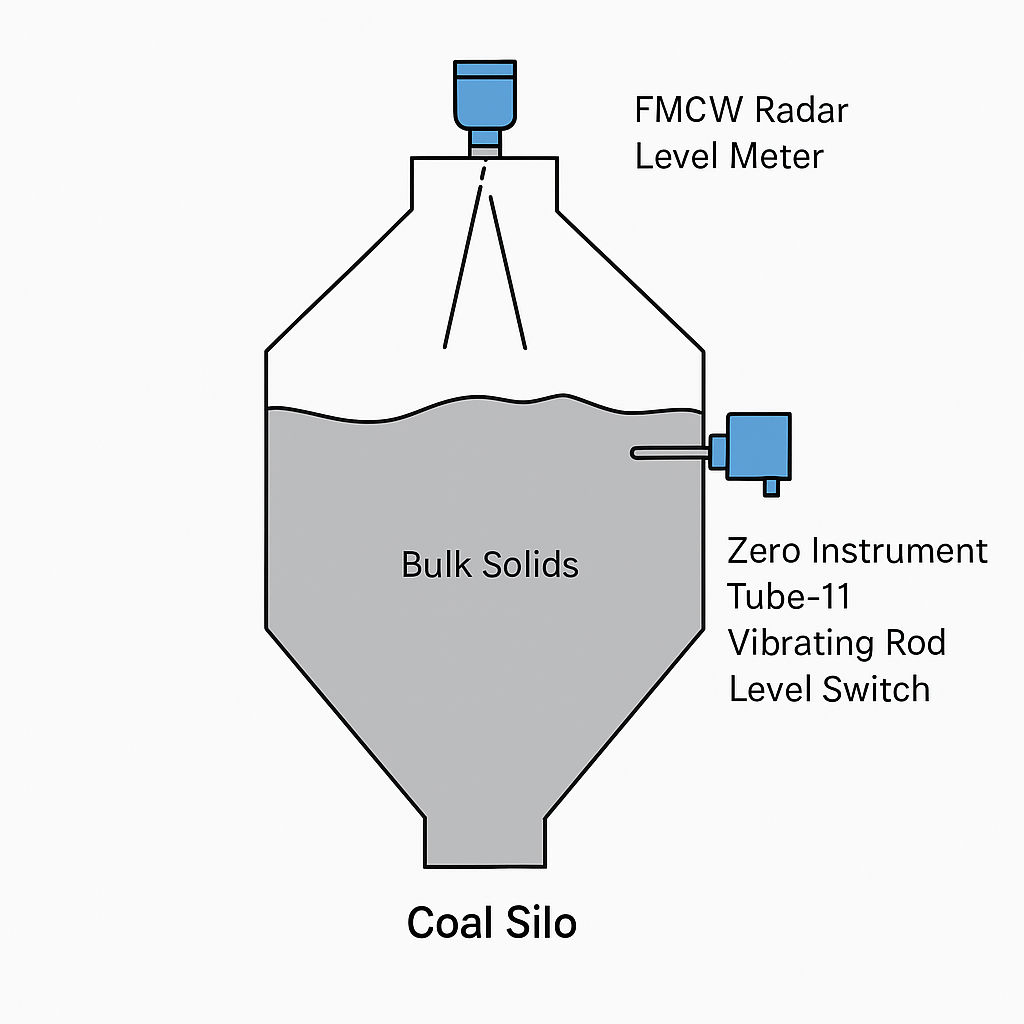
Radar signal processing can be influenced by material properties and surface conditions.
The transmitter provides configuration options for different measurement environments.
5.1 Material Type
The material type parameter allows selection between liquid and solid material applications.
According to the documented configuration, the default setting is liquid.
Selecting solid changes the internal parameter associated with the material surface properties.
The material type should be selected according to the actual application, and any model-specific changes to the echo-processing behavior should be verified during commissioning.
5.2 Material Surface Properties
The material surface property setting affects how measurement fluctuations are handled.
A higher setting produces smoother displayed values and a flatter trend curve.
This can be useful for applications with:
- Agitated liquid surfaces
- Moderate surface turbulence
- Fluctuating reflection conditions
- Unstable displayed readings
However, excessive smoothing may delay the displayed response to actual level changes.
The appropriate setting should balance measurement stability with the required response speed.
6. Understanding the DK Parameter
The dielectric constant of a material influences radar reflection behavior.
Materials with lower dielectric constants generally produce weaker reflections at an interface under otherwise comparable conditions.
This may make level measurement more challenging, especially in installations with interfering echoes.
In the transmitter interface described in the source documentation, a parameter labeled DK is available with an adjustment range of 1 to 10.
The documented signal-processing behavior is:
- Setting 1: strongest echo signal adjustment
- Setting 10: weakest echo signal adjustment
This is a model-specific adjustment scale.
It should not be interpreted as a direct numerical entry of the material’s physical dielectric constant.
The DK setting influences the echo signal processing within this instrument configuration.
Excessively strong signal settings can increase the risk of multiple reflections affecting the measurement.
Conversely, excessively weak settings may cause the instrument to lose the valid material-surface echo.
For this reason, DK adjustments should be made carefully while observing the transmitter’s echo curve.
7. Damping Time and Measurement Stability
Rapid changes in displayed level are not always caused by transmitter faults.
They may result from genuine movement of the material surface or variations in the detected echo.
The transmitter includes a damping parameter to control the response of the displayed measurement.
7.1 Damping Time Setting
The documented parameter range is:
0–1000
A larger damping setting results in slower changes in the indicated measurement value.
A smaller setting allows the displayed value to respond more quickly.
For example, increasing damping may help stabilize the displayed measurement in a tank with moderate liquid surface movement.
However, excessive damping can mask genuine rapid level changes.
The actual time units and relationship between the configured number and the effective response time should be confirmed for the relevant transmitter firmware.
7.2 Inlet and Outlet Rate Settings
The configuration also includes inlet-rate and outlet-rate parameters.
These settings are intended to influence how the transmitter responds to rising and falling material levels.
For normal applications, the documentation recommends retaining the default values.
Advanced adjustments should only be made when the required measurement response is understood.
8. Understanding Radar Echo Signals
One of the most useful features of an advanced radar level transmitter is the ability to inspect the echo signal.
This provides a valuable diagnostic tool when the measurement is incorrect or unstable.
The documented transmitter interface provides two relevant views:
EFT Curve and Echo Curve.
8.1 EFT Curve
The EFT curve displays the raw echo signals captured by the radar transmitter.
The horizontal axis represents distance.
The vertical axis represents signal strength.
This allows the user to identify reflections at different distances from the sensor.
For example, the documentation shows an echo analysis with approximately:
- First echo: distance 1.8 m, signal strength 29,000
- Second echo: distance 2.6 m, signal strength 5,000
These signal-strength values are internal display values rather than standardized engineering units.
By examining the position and strength of each echo, the engineer can evaluate which reflection is likely to correspond to the actual material surface.
8.2 Echo Curve
The echo curve provides a processed view of the current echo signals.
In the documented interface:
- The red bar represents the selected valid measurement echo.
- Blue bars represent other echoes not currently selected for level measurement.
There is one selected valid echo, while multiple other echoes may be present.
The screen also shows information such as the echo sequence number, signal strength, and distance.
This makes it possible to compare the selected measurement echo with other reflections.
It is important to remember that an echo shown as a secondary or rejected echo is not necessarily caused by an installation defect. The instrument may receive several legitimate reflections from surfaces and structures in the measuring environment.
9. Multiple Reflections and Incorrect Distance Readings
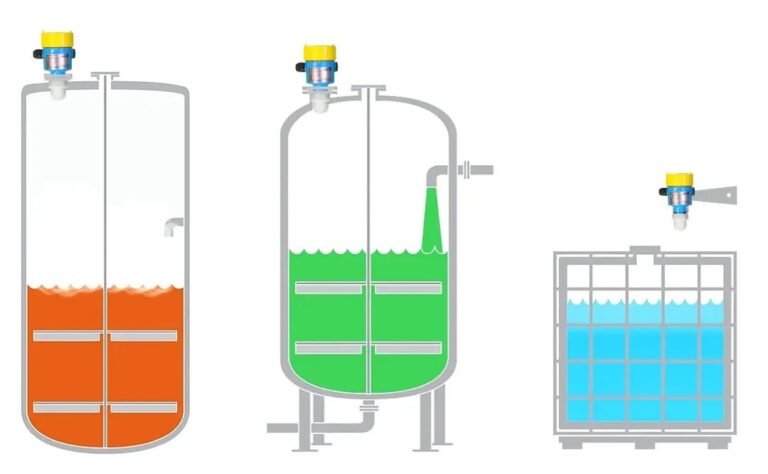
Multiple reflections can cause measurement errors in some radar level measurement applications.
For example, a radar transmitter may receive a valid material-surface reflection at 1.8 m and a secondary reflection near 3.6 m.
The second signal may result from multiple reflections along the measurement path.
If the secondary reflection becomes stronger than the actual material-surface echo, the transmitter may incorrectly select it.
Possible symptoms include:
- Measured distance significantly greater than the actual distance
- A displayed distance approximately twice the actual distance
- Sudden switching between different distance values
- Unexpected level jumps
- Unstable measurement despite a relatively stable material surface
9.1 Close-Range Enhanced Detection
The documented transmitter configuration includes a close-range enhanced detection function.
It provides two modes.
Mode 1: Enhance the Nearest Echo
This mode significantly strengthens the nearest detected echo relative to other echoes during the selection process.
It is intended to help eliminate interference from repeated reflections when the actual material-surface echo is the closest valid signal.
Mode 2: Suppress More Distant Echoes
This mode significantly attenuates echoes other than the nearest detected signal.
It may help reduce interference from secondary reflections.
These functions should not be enabled without examining the echo curve.
The nearest detected echo is not automatically the correct echo, particularly when internal tank structures produce strong close-range reflections.
10. False Echo Suppression and Echo Learning
False echoes are a common source of measurement problems in radar level applications.
They may originate from:
- Internal pipes
- Support beams
- Tank walls and fittings
- Agitators
- Tank bottoms
- Fixed internal structures
- Multiple reflection paths
The documented transmitter provides several functions for managing these signals.
10.1 Automatic Echo Learning
Automatic echo learning identifies interfering echoes according to the instrument’s internal signal-processing logic.
The documentation indicates that this automatically learned information is lost following a power restart.
Therefore, this function should not be assumed to provide permanent echo suppression.
The source recommends that automatic echo learning is generally unnecessary under normal operating conditions.
10.2 Manual Echo Learning
Manual echo learning allows the instrument to learn and suppress interfering reflections within a configured distance interval.
The interval is defined using the configured high-level and low-level distances.
For example:
- High Level = 0 m
- Low Level = 5 m
The manual learning operation is applied to the 0–5 m interval.
Another example:
- High Level = 5 m
- Low Level = 20 m
The operation is applied to the 5–20 m interval.
Important: Manual echo learning must only be performed after verifying which echoes represent actual interfering objects.
An incorrectly selected learning interval can suppress the valid material-surface echo and create measurement errors.
Where applicable, record the original configuration before changing the learning interval.
10.3 Extend Echo Learning
The extend echo learning function allows the user to add further suppression information after a previous learning operation.
This may be useful when additional fixed reflections are identified in the echo curve.
10.4 Clear Echo Learning
This function removes previously configured echo-learning information.
It may be useful when the transmitter has been relocated, the tank internals have changed, or previous echo suppression settings are no longer appropriate.
After clearing the settings, the measurement should be checked and recommissioned as necessary.
11. Multiple Echo Suppression for Low-Dielectric Materials
Some low-dielectric materials may produce relatively weak surface reflections.
In such conditions, reflections from the tank bottom can become significant.
The transmitter includes a multiple-echo processing option intended to reduce false echoes associated with bottom reflections.
The documented configuration requires this option to be used together with an empty-tank parameter.
The empty-tank value is configured to be equal to or greater than the low-level setting, according to the supplied instructions.
This function is intended for specific situations involving bottom reflections.
It should not be used as a general correction for every unstable measurement.
The engineer should first confirm the actual material-surface echo and the suspected bottom reflection using the EFT or echo curve.
12. Transmit Gain, Receive Gain and Echo Threshold
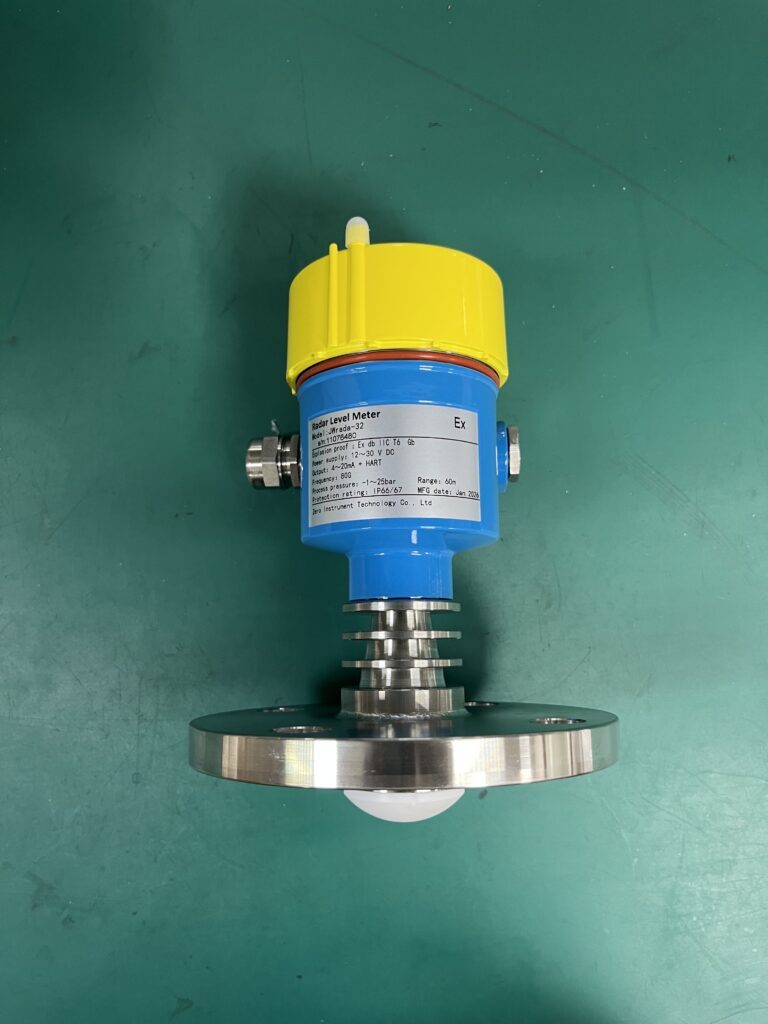
The advanced menu provides additional parameters for signal optimization.
12.1 Transmit Gain
Transmit gain adjusts the transmission-related signal strength setting.
In the documented interface, a stronger transmit gain produces a stronger displayed echo signal.
This parameter may be useful when the valid material-surface echo is weak.
12.2 Receive Gain
Receive gain controls the reception-related signal-strength setting.
Increasing this parameter can increase the strength of received echoes shown in the transmitter’s diagnostic display.
However, a higher gain does not necessarily improve measurement reliability.
Unwanted reflections and interference may also become more prominent.
12.3 Echo Threshold
The echo threshold defines the minimum signal strength used for echo detection in the processed echo display.
Signals below the configured threshold are filtered out and do not appear in the echo curve.
This can help remove weak unwanted reflections.
However, setting the threshold too high may also suppress the valid material-surface echo.
12.4 Ambient Noise Threshold
The ambient noise threshold is associated with the minimum threshold used by the automatic echo detection process.
For normal applications, the source documentation recommends retaining the default value.
These advanced settings should be adjusted individually while observing the effect on the actual echo curve.
13. Communication and Display Settings
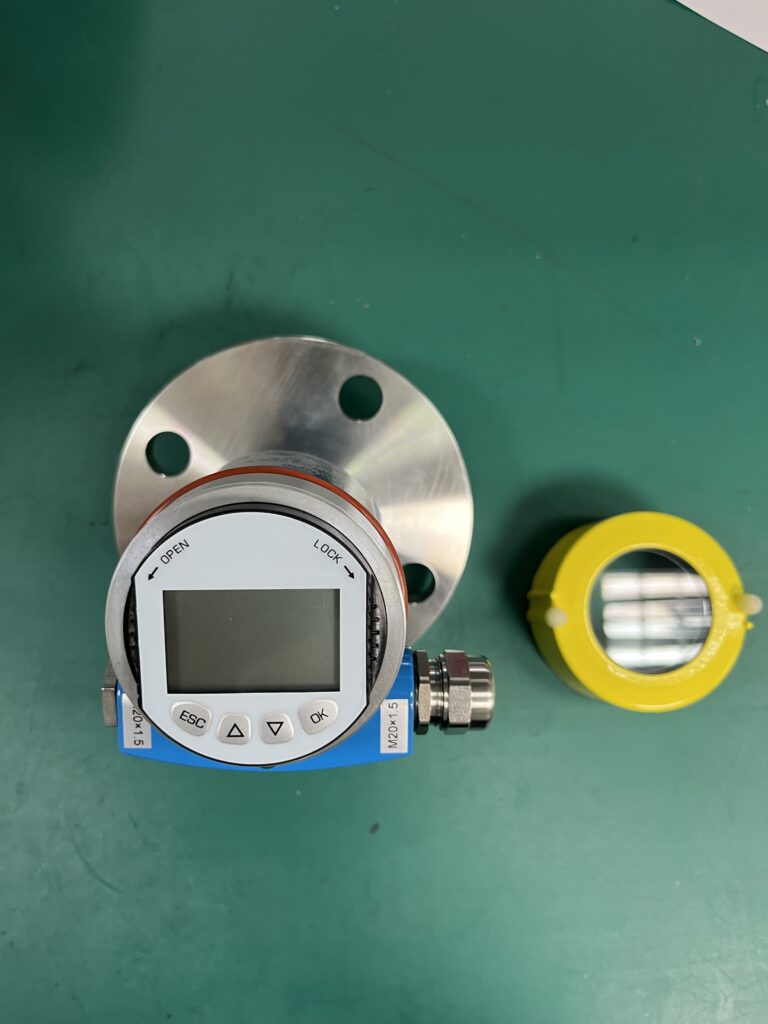
In addition to measurement configuration, the transmitter includes system and communication options.
13.1 Display Content
For transmitter versions equipped with a local display, the displayed measurement can be configured.
The documented default display parameter is distance.
The availability of alternative displayed values depends on the specific instrument interface.
13.2 HART and Modbus Settings
The documentation includes communication-related parameters such as device addressing and HART multidrop operation.
For installations with multiple instruments, each relevant device must have a unique address within the applicable communication network.
The source indicates that modified addresses take effect after restarting the device.
The address range shown in the documentation is 1–256, but actual valid addresses depend on the selected communication protocol and firmware. HART and Modbus addressing rules should not be treated as identical.
For HART multidrop operation, the interface describes 4 mA and 8 mA operating-mode options.
Before commissioning, confirm the supported communication interface and operating requirements for the exact transmitter model.
13.3 Measurement Units and Language
The system settings include:
- Chinese or English language selection
- Meters or feet as measurement units
- Device name configuration
- Parameter access password
- Device restart
- Factory reset
The documentation specifies meters as the default unit.
Access credentials should be changed where appropriate according to the site’s instrument security procedures.
Factory reset should only be performed after recording the existing configuration and understanding the consequences for measurement calibration.
14. Practical Example: Configuring a Radar Level Transmitter
Consider a small liquid storage tank with the following parameters:
| Item | Configuration |
|---|---|
| Distance to tank bottom | Approximately 1.85 m |
| Low-level setting | 1.80 m |
| High-level setting | 0.10 m |
| Measurement span | 1.70 m |
| Current output | 4–20 mA |
| Material type | Liquid |
The configured 0% point is therefore located at a sensor-to-surface distance of 1.80 m.
The 100% point is located at a distance of 0.10 m.
If the measured distance is 0.95 m:
Material Level = 1.80 − 0.95 = 0.85 m
The level percentage is:
Level Percentage = 0.85 / 1.70 × 100 = 50%
The corresponding nominal current is:
Output Current = 4 + 16 × 0.50 = 12 mA
Therefore, the transmitter should indicate approximately:
- Distance: 0.95 m
- Material Level: 0.85 m
- Level: 50%
- Current Output: 12 mA
This example illustrates how distance measurement, level calibration, and analog current output are related.
The actual installation must also respect the sensor’s minimum measurement distance and configured echo-processing limits.
15. Common Radar Level Measurement Problems and Solutions
The following table summarizes several practical troubleshooting situations.
| Problem | Possible Cause | Recommended Action |
|---|---|---|
| Level is consistently incorrect | Incorrect high/low reference settings | Verify reference distances and calibration |
| Displayed level fluctuates | Surface movement or unstable echoes | Examine echo curve and review damping |
| Measured distance is approximately doubled | Multiple reflections | Inspect EFT curve and evaluate close-range enhanced detection |
| Transmitter loses the material echo | Weak reflection or unsuitable threshold | Check signal settings, gain and echo threshold |
| Tank-bottom echo affects measurement | Weak surface reflection or bottom interference | Evaluate multiple-echo suppression |
| Current output disagrees with displayed level | Output direction or scaling mismatch | Verify 4–20 mA configuration and receiving-system scaling |
| False echo is repeatedly selected | Strong fixed reflector | Identify the reflector and evaluate manual echo learning |
| Display responds too slowly | Excessive damping | Reduce damping if the process requires faster response |
Before adjusting advanced parameters, engineers should confirm that the mounting position, antenna installation, vessel geometry, and physical measurement conditions are suitable.
Parameter changes should be made systematically, preferably one at a time, with the original settings recorded.
16. Recommended Commissioning Procedure
For a new radar level transmitter installation, the following workflow is recommended.
Step 1 — Confirm Installation Geometry
Measure the distance from the radar reference point to the required zero-level and full-scale positions.
Step 2 — Configure Measurement References
Set the low-level and high-level distances according to the required measurement span.
Step 3 — Configure the Measurement Limits
Set the maximum processing distance and minimum distance according to the vessel geometry and transmitter capabilities.
Step 4 — Select the Material Type
Choose the appropriate material setting and initially retain standard surface-processing parameters where suitable.
Step 5 — Verify the Analog Output
Confirm that 0% and 100% levels correspond to the required current outputs.
Step 6 — Examine the Echo Curve
Identify the expected material-surface reflection and confirm that the transmitter selects the correct echo.
Step 7 — Optimize Signal Stability
If necessary, adjust damping, signal-processing parameters, or false echo suppression carefully.
Step 8 — Verify Against a Known Level
Compare the displayed level with a reliable reference measurement at one or more known operating conditions.
Step 9 — Check Control System Integration
Verify that the receiving PLC or control system interprets the transmitter’s analog signal and any digital communication correctly.
Step 10 — Record the Final Configuration
Document the final parameters to support future maintenance and troubleshooting.
17. Final Thoughts
Reliable radar level measurement depends on more than the transmitter’s nominal measuring range or accuracy specification.
Correct configuration of measurement references, analog output, material properties, echo processing, and false echo suppression is essential.
Understanding how to interpret the EFT curve and echo curve is particularly valuable when troubleshooting unstable readings or incorrect measurements.
Rather than changing multiple parameters at random, maintenance personnel should first identify the actual measurement echo and determine the physical or signal-processing cause of the problem.
With appropriate commissioning and systematic troubleshooting, radar level transmitters can provide reliable continuous level measurement across a wide range of industrial applications.
About Zero Instrument
Zero Instrument provides industrial measurement solutions for flow, level, pressure, temperature, and process monitoring applications.
Our radar level measurement solutions are designed to support a variety of industrial storage and process measurement requirements.
For radar level transmitter selection, configuration guidance, or technical support, please contact our engineering and sales team.
Website: https://zeroinstrument.com
Contact: [email protected]