
In industrial plants, RTD temperature sensors (especially PT100 sensors) are widely used for accurate temperature measurement. However, engineers often encounter problems such as:
- Temperature readings suddenly increase or decrease
- DCS temperature curves fluctuate irregularly
- The displayed value jumps to extreme temperatures, such as -200°C or 850°C
- Temperature signals become unstable after cable movement
These problems are usually caused by RTD circuit failures, including wiring issues, cable faults, electrical interference, or sensor damage.
Before replacing the temperature sensor, it is important to determine whether the problem comes from the RTD sensor itself, the connection cable, or the input system.
This article explains how to quickly troubleshoot PT100 temperature fluctuations step by step.
1. Temperature Value Changes Randomly and Has No Pattern
Typical Symptoms
Common field symptoms include:
- Temperature suddenly rises or drops without a clear reason
- DCS trend shows severe signal fluctuation
- Moving the RTD cable causes the temperature value to change significantly
- The display occasionally jumps to abnormal limit values, such as -200°C or 850°C
In this situation, do not replace the PT100 sensor immediately. First identify whether the fault is caused by:
- Loose wiring or poor contact
- Cable open circuit or short circuit
- RTD sensor element failure
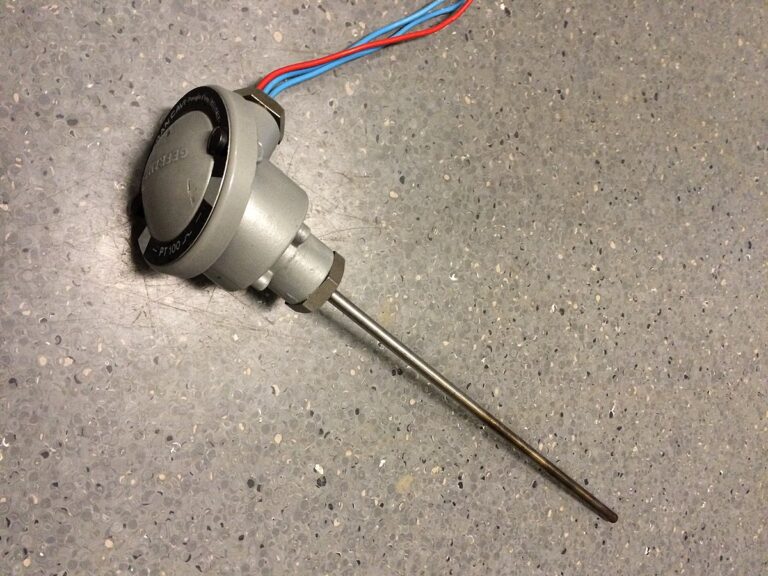
2. Fault Cause 1: Loose Wiring or Electrical Interference
Common Causes
RTD signals are low-level resistance signals and can easily be affected by poor connections or electromagnetic interference.
Typical causes include:
- Loose terminal connections
- Oxidized or corroded terminal blocks
- Damaged cable shielding
- RTD cables installed too close to power cables
- Interference from VFDs, motors, or welding equipment
Symptoms
Typical signs include:
- Temperature changes when the cable or terminal is slightly moved
- Strong electromagnetic equipment exists near the RTD cable
- Terminal connections are loose or show oxidation
Quick Check Method
Step 1: Check RTD Loop Stability
For a three-wire PT100 sensor:
- Disconnect the RTD signal at the instrument terminal
- Short the RTD terminals according to the input configuration
- Observe whether the displayed temperature becomes stable
If the signal becomes stable, the problem may exist in the sensor wiring or connection circuit.
Step 2: Check Cable Movement
Gently move the RTD cable or tap the cable tray.
If the temperature value changes together with cable movement, the fault is most likely caused by:
- Loose connection
- Cable damage
- Poor contact
Solutions
Recommended actions:
- Tighten all terminal connections
- Remove oxidation from terminals
- Ensure proper cable crimping
- Use shielded RTD cables
- Ground the shield at one end only
- Keep RTD signal cables away from high-power cables
- Use metal conduit protection when necessary
3. Fault Cause 2: RTD Cable Open Circuit or Short Circuit
Common Causes
A PT100 temperature circuit may become unstable when:
- One RTD wire is broken
- Two wires are accidentally shorted
- Cable insulation is damaged
- Water enters the junction box
Symptoms
Typical symptoms:
- Temperature jumps between high and low values
- Display suddenly reaches extreme temperature limits
- Signal becomes intermittent
Quick Check Method
Use a multimeter to measure resistance between:
- A-B
- B-C
- A-C
Then compare the measured resistance with the PT100 resistance table.
For a normal PT100 sensor:
- At 0°C: approximately 100Ω
- At room temperature (20–30°C): approximately 107–112Ω
A large resistance deviation usually indicates:
- Open circuit
- Short circuit
- Cable damage
Solutions
- Repair damaged cable connections
- Replace damaged RTD cables
- Check junction boxes for moisture or corrosion
- Improve cable protection against mechanical stress
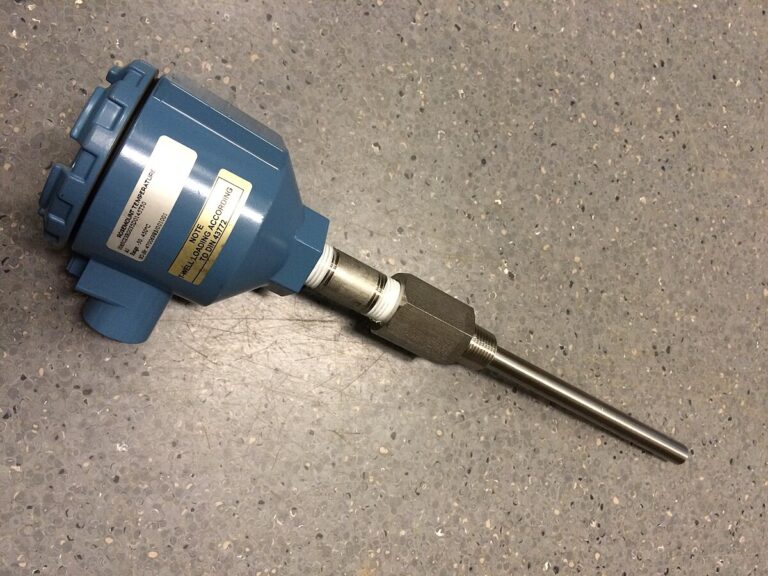
4. Fault Cause 3: PT100 Sensor Element Failure
Common Causes
The RTD element itself may fail due to:
- Long-term operation at high temperature
- Moisture penetration
- Mechanical shock
- Aging after long service time
Symptoms
Typical symptoms:
- Wiring and cables are confirmed normal
- Temperature continues fluctuating
- Resistance measurement is unstable
- Sensor resistance changes randomly
Quick Check Method
Disconnect all RTD wires from the instrument side.
Measure the resistance directly at the PT100 sensor terminals:
Normal Condition:
- Resistance is stable
- Value matches PT100 characteristics
→ Sensor element is likely good.
Fault Condition:
- Resistance keeps changing
- Measurement shows OL (open circuit)
- Resistance value jumps randomly
→ PT100 sensor is damaged.
Solutions
- Replace the PT100 temperature sensor
- Install proper protection thermowell when required
- Prevent mechanical impact and moisture
- Perform calibration before commissioning
5. Fault Cause 4: Temperature Input Module or Transmitter Problem
Sometimes the RTD sensor and cable are normal, but the temperature signal still fluctuates.
Possible causes:
- RTD input module failure
- Temperature transmitter malfunction
- Incorrect configuration
- DCS analog input problem
Quick Check
A simple method:
- Connect a known good PT100 simulator or reference resistor
- Check whether the temperature display remains stable
If the signal is still unstable, the problem may be in:
- Temperature transmitter
- PLC/DCS input module
- Control system configuration
PT100 Temperature Fluctuation Troubleshooting Procedure
Follow this troubleshooting sequence:
Step 1: Check Connections
Short the RTD input and move the cable.
- Stable → Check sensor and cable
- Unstable → Check instrument input
Step 2: Check Cable Resistance
Measure:
- A-B
- B-C
- A-C
Compare with PT100 resistance values.
Abnormal resistance indicates cable problems.
Step 3: Check Sensor Element
Measure resistance directly at the RTD sensor.
- Stable resistance → Sensor is OK
- Unstable resistance → Replace PT100 sensor
PT100 Troubleshooting Checklist
| Check Item | Normal Condition | Fault Indication |
|---|---|---|
| Terminal connection | Tight and clean | Loose or oxidized |
| Cable resistance | Stable | Open/short circuit |
| PT100 resistance | Matches temperature curve | Random fluctuation |
| Shielding | Proper grounding | Electrical noise |
| DCS input | Stable signal | Module fault |

Final Thoughts
When a PT100 temperature signal jumps randomly, replacing the sensor immediately is usually not the best solution.
A systematic troubleshooting method should always follow this order:
Check connection → Check cable → Check RTD sensor → Check transmitter/input module
By following these steps, engineers can quickly locate the real fault, reduce unnecessary replacement costs, and restore reliable temperature measurement.