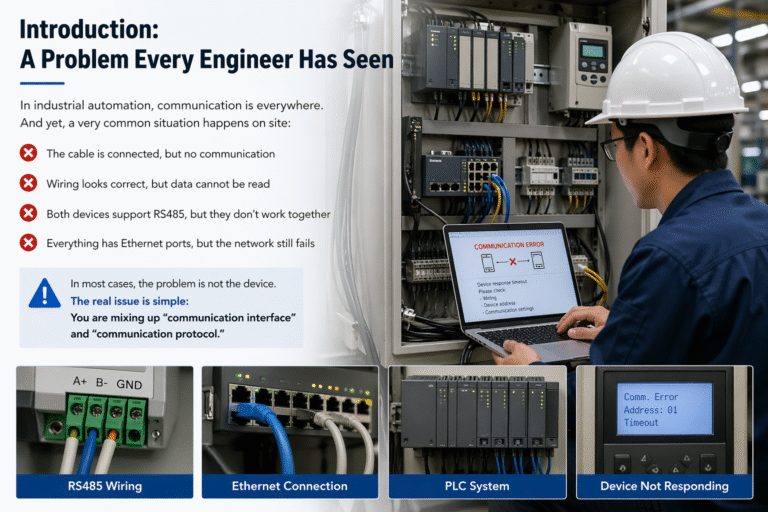
In industrial automation, communication is everywhere.
PLCs need to talk to drives. SCADA systems collect data from field instruments. Sensors send signals to controllers. MES, DCS, and control systems all rely on stable data exchange.
And yet, a very common situation happens on site:
The cable is connected, but no communication
Wiring looks correct, but data cannot be read
Both devices support RS485, but they don’t work together
Everything has Ethernet ports, but the network still fails
In most cases, the problem is not the device.
👉 The real issue is simple:
You are mixing up “communication interface” and “communication protocol.”
Interface vs Protocol: The Core Difference
This is the most important concept in industrial communication.
👉 Interface = How devices are physically connected 👉 Protocol = How devices communicate after being connected
A simple analogy:
Interface is the road
Protocol is the traffic rule
Without a road → nothing connects Without rules → nothing works even if connected
What Does an Interface Actually Define?
The interface deals with physical and electrical connection:
Type of port (RS232, RS485, Ethernet RJ45, Fiber, CAN, etc.)
Signal characteristics (voltage, differential transmission)
Cable type and wiring
Maximum communication distance
Noise immunity
Typical industrial interfaces include:
RS232
RS485
Ethernet (RJ45)
Fiber optic
CAN
👉 These define how devices are connected
What Does a Protocol Define?
The protocol defines how data is exchanged:
Master/slave or client/server structure
Data format and message structure
Addressing rules
Function codes
Error checking (CRC, etc.)
Data interpretation
Common industrial protocols include:
Modbus RTU / Modbus TCP
PROFINET
EtherNet/IP
EtherCAT
HART
OPC UA
CANopen
👉 These define how devices “talk” to each other
The Most Common Mistake: “Same Interface = Compatible”
This is where most problems come from.
Example:
Two devices both have RS485
👉 Does that mean they can communicate?
Not necessarily.
Because:
One may use Modbus RTU
Another may use a proprietary protocol
Even though the interface is the same, 👉 protocol mismatch = no communication
RS485 Is NOT a Protocol
This is one of the biggest misunderstandings in industry.
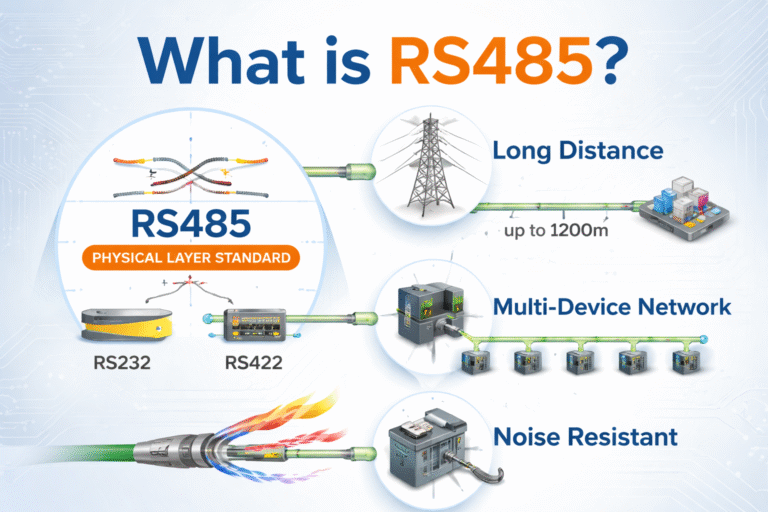
What is RS485?
RS485 is a physical layer standard:
Differential signal transmission
Strong anti-interference capability
Long-distance communication
Multi-drop network support
What is Modbus RTU?
Modbus RTU is a communication protocol:
Defines master/slave structure
Specifies function codes
Uses register-based data mapping
Includes CRC error checking
👉 In real projects, what actually works is:
RS485 + Modbus RTU (together)
Ethernet Has the Same Problem
Another common misunderstanding:
“It has an Ethernet port, so it should work.”
Not true.
Even if all devices use RJ45 ports, they may support different protocols:
Modbus TCP
PROFINET
EtherNet/IP
EtherCAT
Proprietary Ethernet protocols
👉 Same cable, different “languages”
➡️ Result: No communication
Why Protocol Selection Matters So Much
Industrial communication is not just data transfer.
It directly affects system performance.
Monitoring Systems
Temperature, pressure, flow monitoring
Usually use Modbus RTU / TCP, OPC UA
Focus: stability & compatibility
Process Control
PLC controlling valves, pumps, flowmeters
Requires stable and predictable communication
Needs good timing and reliability
Motion Control
Servo motors, multi-axis synchronization
Requires ultra-fast response and synchronization
EtherCAT or similar real-time protocols
👉 Choosing the wrong protocol can lead to:
Delays
Instability
System failure
How to Troubleshoot Communication Issues
Experienced engineers always check step by step:
Step 1: Interface Level
Wiring correct?
A/B lines reversed?
Grounding and shielding OK?
Correct interface type?
Baud rate matched?
Termination resistor correct?
Step 2: Protocol Level
Address correct?
Master/slave configuration OK?
Function codes correct?
Data format matched?
CRC / checksum correct?
Byte order consistent?
👉 Most problems are found in these two layers.
Practical Advice (From Real Projects)
In real industrial applications, especially for instruments like:
Flow meters
Level transmitters
Pressure transmitters
👉 The most commonly used configuration is:
RS485 + Modbus RTU or 4–20 mA + HART / digital communication
This combination offers:
Strong compatibility with PLC systems
Stable long-distance transmission
Easy integration into SCADA/DCS systems
Conclusion
Industrial communication is not complicated.
👉 But misunderstanding it makes everything difficult.
Remember this:
Interface defines how to connect
Protocol defines how to communicate
Without interface → no connection Without protocol → no understanding
Most communication problems are not technical mysteries. They happen because the “road” and the “rules” are confused.
Once you separate these two clearly, 👉 troubleshooting becomes much easier.