
Top 10 Causes and a Proven Field Troubleshooting Workflow
If you are an instrument technician, electrician, or automation engineer, you have probably experienced this moment:
The PLC screen suddenly turns red.
The AI channel alarms “Signal Loss”.
The trend line drops straight to zero.
The operator looks at you and says:
“Hey, the signal is gone again.”
Then the supervisor adds on the radio:
“Please restore it quickly. Don’t affect production.”
And in your mind, the calculation starts immediately:
Is the cable broken?
Is the safety barrier faulty?
Or is the transmitter really dead?
One wrong judgment, and you are working overtime tonight.
On site, a 4–20 mA signal loss looks like a simple technical issue.
In reality, it is a classic engineering trap:
We tend to assume the problem is inside the instrument,
while in most cases, it is outside the instrument.
This article provides a practical, field-proven approach:
Top 10 causes of 4–20 mA signal loss + a golden troubleshooting workflow,
designed for fast and reliable fault location in real industrial environments.

1. Don’t Replace the Transmitter First — Let the Current Speak
Many people troubleshoot inward:
Suspect the transmitter
Remove the instrument
Send it to calibration
Replace it with a new one
This looks busy and decisive — but it is often ineffective.
A mature troubleshooting approach works outward:
Loop → terminals → barriers → AI module → transmitter (last)
Replacing a transmitter is:
The most satisfying action
The least efficient solution
It costs time, money, and often does not fix the problem.
2. The Nature of a 4–20 mA Loop (Very Simple Logic)
A 4–20 mA loop only needs two things:
Power supply (typically 24 VDC)
A closed loop (current must flow)
If the loop is broken at any point, the system will show:
PLC / DCS value = 0%
AI channel “wire break” alarm
Trend suddenly drops to zero
No loop → no current.
No current → there is a break somewhere.
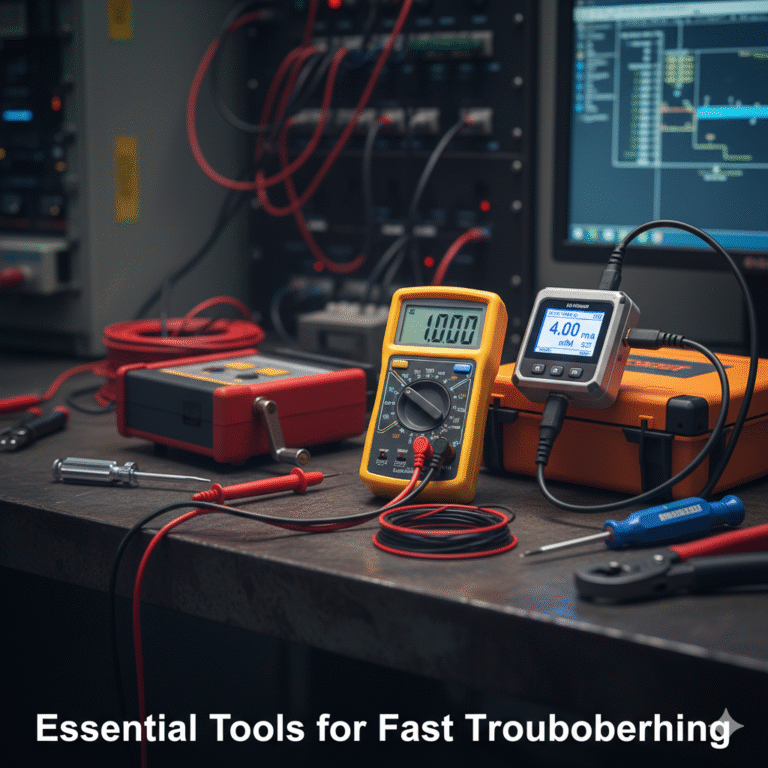
3. Essential Tools for Fast Troubleshooting
Experience matters, but tools matter more.
Recommended minimum tools:
Multimeter (DC voltage & current)
Loop calibrator (measure / simulate 4–20 mA)
HART communicator (or HART-enabled calibrator)
Insulation tester (megger)
Jumper wires, screwdrivers, crimping tools
Measure the current first.
Without current measurement, troubleshooting becomes guesswork.
4. Top 10 Causes of 4–20 mA Signal Loss (Field Reality)
These ten causes cover more than 90% of real-world cases.
Check them in order for maximum efficiency.
Top 1 – Loose or Poor Terminal Connection
Symptoms: Signal comes and goes, unstable trend, signal changes when cables move.
Causes:
Loose terminal screws
Poor crimping
Vibration increasing contact resistance
Actions:
Tighten all terminals from field to control room
Re-crimp cable lugs if needed
Even the best transmitter fails if the screw is loose.
Top 2 – Cable Break
Symptoms: PLC shows 0 or wire break alarm; transmitter may still be powered.
Causes:
Cable damaged during maintenance or construction
Aging cable, broken core, rodent damage
Actions:
Measure continuity with multimeter
Isolate loop section by section
Top 3 – 24 VDC Power Supply Failure
Symptoms: Multiple instruments lose signal simultaneously; transmitter display off.
Causes:
Power supply module failure
Tripped breaker or blown fuse
Loose power terminals
Actions:
Measure 24 VDC bus
Check voltage at transmitter terminals (18–30 VDC)
One failed power supply can look like many bad instruments.
Top 4 – Polarity Reversed
Symptoms: Wiring looks correct, but no signal.
Causes:
/ – reversed at transmitter, barrier, or AI module
Misunderstood terminal markings
Actions:
Verify polarity against wiring drawings
Measure voltage direction with multimeter
Top 5 – Safety Barrier / Isolator Fault
Symptoms: Field transmitter OK, no signal in control room.
Causes:
Internal fuse blown
Wrong terminal wiring
Input/output reversed
Actions:
Bypass temporarily for testing
Measure current on both sides
When the barrier fails, the transmitter gets blamed.
Top 6 – Short Circuit
Symptoms: Power voltage drops, signal unstable or zero.
Causes:
Damaged insulation
Water ingress in junction box
Accidental terminal bridging
Actions:
Measure loop resistance
Use insulation tester for earth faults
Top 7 – Loop Load Exceeded
Symptoms: Output stuck at 10–15 mA; full scale not reached.
Causes:
Long cable distance
Too many devices in series (barrier, indicator, isolator)
Actions:
Check transmitter max load (e.g. 500 Ω)
Calculate total loop resistance
Top 8 – AI Module or Channel Failure
Symptoms: Only one channel affected; wiring and transmitter verified OK.
Causes:
Input circuit damage
Surge or lightning
Actions:
Inject 4 / 12 / 20 mA directly at AI terminals
Swap channels for confirmation
AI modules are tested with current, not assumptions.
Top 9 – Configuration or Scaling Error
Symptoms: Current is correct, but PLC value is wrong or zero.
Causes:
AI set to voltage instead of current
Wrong scaling
Transmitter set to 0–20 mA
Actions:
Verify AI configuration
Check transmitter output mode via HART
Top 10 – Transmitter Internal Failure
Symptoms: Power present, output fixed at 0, 3.6 mA, or 21 mA.
Causes:
Output circuit damage
Sensor failure
Moisture ingress or lightning
Actions:
Test transmitter standalone
Read diagnostics via HART
Re-calibrate or replace if confirmed
Instrument failure exists — but it is not the first suspect.

5. Quick Diagnosis Table
| System Behavior | Measured Current | Likely Cause |
|---|---|---|
| 0% / wire break alarm | 0 mA | Open loop, no power |
| Signal unstable | Fluctuating | Loose terminals, interference |
| Fixed at 3.6 mA | 3.6 mA | Transmitter fault output |
| Fixed at 21 mA | 21 mA | Over-range or fault |
| Cannot reach full scale | 10–15 mA | Loop load too high |
| Current OK, value wrong | 4–20 mA | AI config / scaling |
Don’t ask if the value is correct.
First ask if the current exists.
6. The Golden Troubleshooting Workflow
Step 1 – Check Power
Measure voltage at transmitter terminals.
Step 2 – Measure Loop Current (Most Important)
0 mA → open loop or no power
Current present → check AI or configuration
Step 3 – Isolate the Loop (Outside → Inside)
Field → junction box → barrier → terminal → AI module
Step 4 – Inject Current at AI Input
4 / 12 / 20 mA test to confirm AI behavior.
Step 5 – Suspect the Transmitter Last
7. Safety Notes
Follow hazardous area regulations
Never leave safety barriers bypassed
Use ESD protection for AI modules
Follow plant safety procedures at all times

8. Conclusion
In the field, the hardest part is not the fault itself —
it is the pressure:
Production is waiting.
Operations are calling.
Everyone wants it fixed now.
But reliability comes from method, not luck.
For 4–20 mA signal loss:
Check terminals → check loop → check barriers → check AI → replace transmitter last.
Don’t rush to replace parts.
Let the current tell the truth.